
low level stuff
so i tried out vulkan and some other stuff
sometime around mid to late june, i was messing around with UXR.QuestCamera’s OpenGL ES capture pipeline since it’s something i don’t test regularly, as hAI! uses the compute shader pipeline. this led me to discover two bugs, one where static gl resources (shaders, vaos, vbos) were getting disposed while renderers were using them, and the other where, if you had two continuous GLESCaptureSessions active at the same time, each session would sequentially stall.
the first bug was really easy to fix, i had just forgotten to increment the counter which kept track of references to the static resources for every renderer created after the first one.
iirc the second bug has actually been a problem ever since the GLES session has existed, but i hadn’t bothered to fix it till now since i thought it’d just be too complicated.
i first thought it was caused by the C++ code being inefficient. since i didn’t see anything wrong with the actual GL ES code, i thought it was caused by the C++ / Kotlin / C# interop code. so, i started by learning some “modern” C++ programming practices. i started by just asking chatgpt what could be wrong with the code.
i think of chatgpt like a search engine. i can ask it about possibly niche things in the subjects i know, and it points me to concepts that might be useful (or complete garbage) for my situation.
anyways, i found out that the map type in the standard library is actually an ordered container, and that unordered_map would be better for my use case in terms of performance. more importantly, i learnt about unique_ptrs. while not very useful for fixing the bug, it made managing every renderer object easier.
now obviously, these changes didn’t fix the bug, which meant the problem was in the renderer or the C# code that invokes the renderer. since the C++ part of the renderer still seemed perfectly fine, the only thing left to look for was the GL.InvalidateState call done after every render.
turns out, invalidating the state of unity’s entire GL context multiple times in a single frame is not a very good idea. i assume what was happening was session one would set up the GL calls to convert its frame, call InvalidateState, then session two would almost immediately convert its frame and call InvalidateState again, and, since they may not have been executed on the GPU, erase the first session’s commands.
the only way to remove the InvalidateState calls was to reset every single GL state modified by the renderer at the end of each render event. so that’s what i did, and it worked! these fixes were then released as UXR.QuestCamera v4.1.1.
now that i had a taste of “actual” C++ programming and “low level” graphics APIs, surely i can’t stop here, right? surely, i should learn how to do the same thing in Vulkan so that i can use the native sessions in hAI? yup.
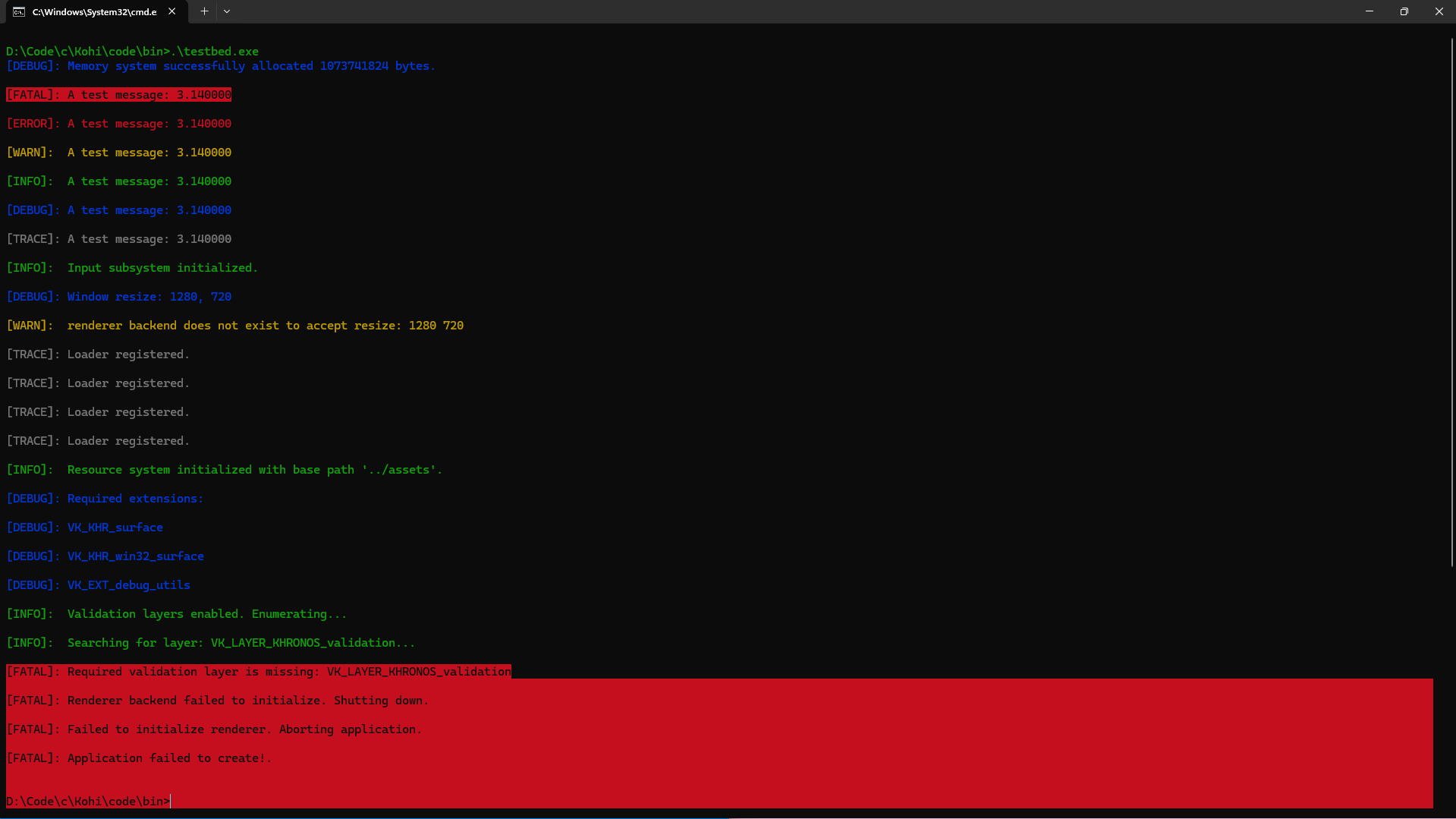
technically, this isn’t the first time i’ve dabbled in vulkan. in fact, i had followed Travis Vroman’s absolutely wonderful Kohi series for some time in 2022 (four years ago!!!). i think i followed it till around episode 38-40? sadly, i don’t really remember much from it, but i do still have the code and test executable! whatever i was doing last time broke it though, but i do remember being able to move around in a void with a quad in the middle with a custom texture, etc.
this time, i started with unity’s Native Rendering Plugin sample, using which i hooked onto Unity’s Vulkan runtime. interestingly, i noticed that Unity was calling vkCreateInstance twice, once to seemingly create a temporary Vulkan instance to set up everything for the “primary” Vulkan instance?
to actually learn how to use Vulkan, i decided to go along with “the Khronos Vulkan Tutorial”. i was more or less able to skip to the “Image views” section immediately since Unity did most of the device setup for me. i also had to look up VK_KHR_sampler_ycbcr_conversion and VK_ANDROID_external_memory_android_hardware_buffer separately since the actual images i needed to convert were in YUV (YCbCr) format and accessed as AHardwareBuffers.
honestly, the Vulkan reference is, as far as i know, one of the best pieces of documentation to have ever been made. almost nothing is made vague. for example, VkImageCreateInfo describes, in detail, how every single extension that implements it interacts with each and every image feature. printing it out as a PDF makes one with nearly 34 whole A4 pages of content! it is genuinely amazing.
notice how i said “almost” nothing is vague in the Vulkan docs? well, turns out, Vulkan samplers created to read YUV images as RGB don’t actually read pixels as RGB. it’s read as R’G’B’, which is basically “compressed” RGB. coincidentally, the “decompression” function or “inverse-transfer” function to convert the R’G’B to RGB happens to be similar to the one for sRGB. this is why i had to disable sRGB conversion in OpenGL for it to display the converted frames “correctly”. the only reason i found out about this is because of this very helpful GitHub issue in the Vulkan documentation repo. for the Vulkan plugin, i implemented the “correct” inverse transfer for the R’G’B’ data in the vertex shader. i do plan to fix it in OpenGL soon-ish.
with all that said and done, i finished the Vulkan plugin for UXR.QuestCamera v4.2.1 with around 1800 lines of C++ code. i also found actual uses for unique_ptrs, vectors, arrays, optionals, and other wonderful C++ specific types. i even brought in a custom hash function from Boost to hash my own structs. in fact, C++ is now my third most used programming language on GitHub, solely because of UXR.QuestCamera!
now for the second part of this already pretty long post… LiteRT-LM.
as previously mentioned, i’ve wanted to rewrite UAI.LiteRTLM for some time now. coinciding with the release of LiteRT-LM v0.14.0, i decided to actually do it!
the original implementation for UAI.LiteRTLM was very convoluted. i had a Kotlin plugin which wrapped the Kotlin+Android LiteRT-LM package (which is itself a wrapper for the pure C++ LiteRT-LM API) which was then again wrapped by C# using Unity’s AndroidJavaObject. unfortunately, there isn’t a way for C# code to interact with C++ code directly, unless the C++ code is exported as C (extern C, yada yada).
luckily, Google recently released a multiplatform Python package for LiteRT-LM, and since Python also can’t interact with C++ code directly, they made a C API for it! this API is officially very unstable, in fact, v0.14.0 of the C API had a ton of breaking changes. it’s usually not worth it (for me) to make a package wrapping such a highly unstable API, but considering the performance improvements LiteRT-LM has gotten recently (mainly MTP), i decided to get it done.
since the API isn’t officially meant to be used on its own, Google does not provide pre-built binaries (.sos, .dlls, .dylibs) for it. this meant i had to work with Bazel, which, from what i understand, is like CMake but it supports a lot more languages and has extensions (like for platform-specific build rules). to its credit, it was really easy to set up and start building. the main problem i encountered was the lack of documentation for building the C binaries specifically.
thankfully, there are already two other FOSS projects on GitHub that use the LiteRT-LM C API: flutter_gemma by @DenisovAV, and LiteRtLmSharp by @OrihuelaConde.
both projects are very well documented, and were valuable references for figuring out how to get the binaries built. although, my goal for the rewrite was not to provide a fully-fledged high-level system to interact with LiteRT-LM, so i haven’t made any patches for the C API or even the Bazel BUILD file. i would like to make a higher level system, but i’m planning to wait for the stable release of the C API for it.
Unity’s runtime also has its own quirks that made making the package a bit easier. for example, i can just set the accelerator binaries to load on application startup so that the main liblitert-lm library can load it using dlopen(“acceleratorLibName”) on macOS and Windows.
so, with that, i’ve got LiteRT-LM v0.15.0-alpha0 working in Unity, for Android, iOS, macOS and Windows! the only other platform left that’s supported by both Unity and LiteRT-LM is Linux, but since i haven’t touched my dual boot in ages, that’s probably not happening soon.
welp, that’s about everything for this post! i do have some more updates that imo aren’t enough a full post that i’ll mention here:
UniVRM v0.131.1 released last month, with my patch that fixes custom material importers! this release had a few breaking changes though, so i also updated AvLoader to match.
with Unity 6.5’s release (which i sadly can’t use since i depend on some SDKs/packages that still rely on InstanceID), i actually updated UShare again to fix a compile error caused by the new CoreCLR code rules. the fix is still in the unstable branch since i haven’t tested it myself, but you should be able to pull it from GitHub through UPM and have it work just fine.
as for Deadlock, i’ve tried lady geist recently… she’s alright (maybe even a bit op in how she just doesn’t die but her movement’s a bit too slow imo).